


Overview
One card.
Every introduction.
Your contact details, website and social profiles, together in one place. A personalised card on the outside. A profile you can keep up to date behind it.
01
Tap. Scan. Connect.
Hold your card near a compatible phone or let someone scan its QR code. Your profile opens in their browser, ready to explore or save your contact details. No app needed on their side.
02
New details. Same card.
Changed your number, role or website? Update your profile in the app or browser. The next person who opens it sees your latest details, without you replacing the card.
03
Yours, without the monthly fee.
Your individual digital profile is included with your SmartCard. Share your details and keep them up to date without a subscription.
Highlights
Small details.
A better introduction.

MADE PERSONAL
Your name. Your logo. Your card.

FOUR MATERIALS
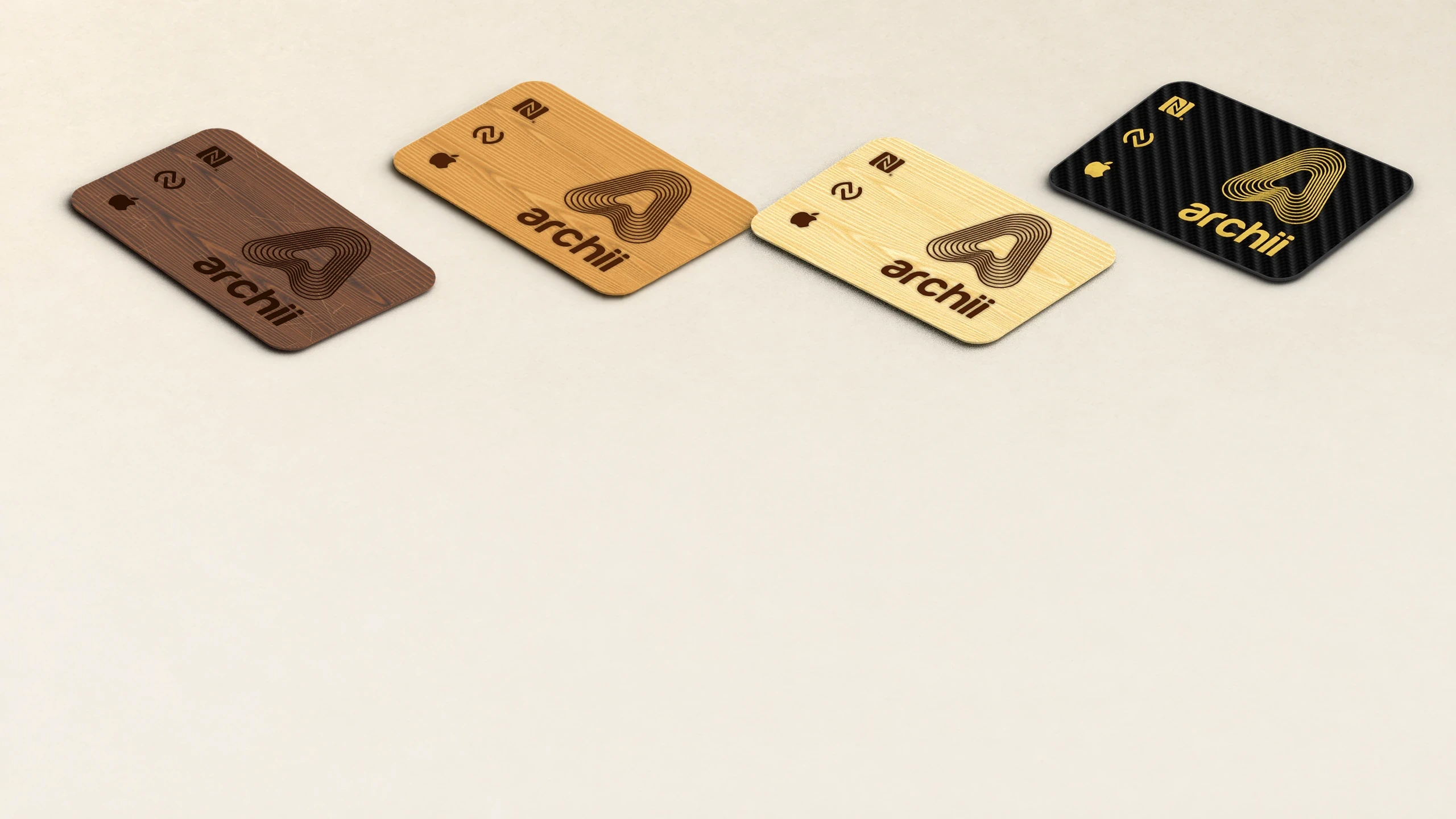
Find your kind of finish.

TAP OR SCAN
Your introduction, opened in seconds.

KEEP IT CURRENT
Change your details. Keep your card.

WALLET & WIDGETS
Another way to share from your iPhone.

NO MONTHLY FEE
Your individual profile is included.
INSIDE YOUR CARD
No battery.
No charging.
Your chosen material on the outside. NFC technology within. Every layer brings the physical card and your digital profile together, with a QR code offering another way to connect.


THE SMARTCARD APP

01 · YOUR PROFILE
Your details.
Always yours to change.
Add your photo, contact details, website and social links. Choose what you publish, preview your profile and update it whenever something changes.
One profile.
Your details and links, together.

02 · Lost Card
Misplaced it? Hide your profile.
Report your card lost in the app to hide the profile it opens and show the finder how to return it. Found it again? Mark it as found to restore access.
Lost. Found. Restored.
Control access through your missing card.

03 · WALLET & WIDGETS
Your introduction. Always close.
Add your profile QR code to Apple Wallet or place a widget on your Home Screen. Let someone scan it to open your profile when your physical card isn’t to hand.
Ready to scan.
From your Wallet or Home Screen.

THE PHYSICAL CARD
MATERIALS
PERSONALISATION
Sharing
THE SMARTCARD FAMILY
Made to go with you.
Walnut
£49
Rich, dark grain. A quietly confident first impression.

NFC · QR
Cherry
£49
Warm tones and natural character. Made personal with your design.

NFC · QR
Bamboo
£49
Light, natural and understated. A clean canvas for your introduction.

NFC · QR
Carbon Fibre
£69
A distinctive woven finish, personalised with metallic detail.

NFC · QR
AVAILABLE NOW
Share your profile. Find your essentials.


Cards or Wearables
It's more than just a well-made product.


Card
Wearables
Smart Card
A card worth keeping.
Keep it in your wallet and bring it to your next introduction. A tap or QR scan opens your profile, without handing your card away.

APPLE FIND MY
Share your details. Find your SmartCard.
The 2nd Gen Card and White Keychain combine NFC and QR sharing with Apple Find My tracking. Tap or scan to share your digital profile, then use Find My to help locate your card or keychain if it goes missing.
SMARTCARD · 2ND GEN
Share your contact details, website and social links with a tap or QR scan. With Apple Find My tracking built in, your 2nd Gen Card is also easier to locate when it isn’t where you left it.
In stock. Ready to ship.


AT A GLANCE
Small products. Plenty of possibilities.
Every SmartCard product connects to your digital profile through NFC. Choose the format and additional features that suit you.
Your profile
Materials & personalisation
Apple Find My


SMARTCARD · WHITE KEYCHAIN
Keep your digital profile close with NFC and QR sharing built into your keychain. Tap or scan to exchange details, and use Apple Find My to help locate your keys when they go missing.
SHARE
Tap or scan.
Open your digital profile through NFC or the QR code.
FIND
Locate your keys.
Add your keychain to Apple Find My to help find it when it’s misplaced.
UPDATE
Keep it current.
Change your contact details and links without replacing your keychain.
QUESTIONS, ANSWERED
Before you choose.
A few useful things to know about sharing, setup and tracking.
What is an Archii SmartCard?
+
How is that different from a normal business card?
+
Do I need an app to use it?
+
Does the person receiving it need anything?
+
Which phones can read the card?
+